
Skip to content
ICON Equipment
0Get a Quote
Downtime guide

What to Do When Equipment Breaks Down on a Jobsite

A practical first-response checklist for jobsite equipment breakdowns: secure the machine, capture symptoms, gather machine information and decide whether shop or mobile service makes sense.

Maintenance & Service7 min readICON Equipment Resource Center

When a machine stops working, the first priority is safety. The second is getting useful information to the people who will diagnose the problem. A hurried call that says only 'the machine is down' usually creates another round of questions before anyone can decide what parts, tools or service approach may be needed.

A few minutes spent documenting the condition can shorten that back-and-forth and help determine whether the machine should stay on site, be transported to the shop or wait for additional instructions.

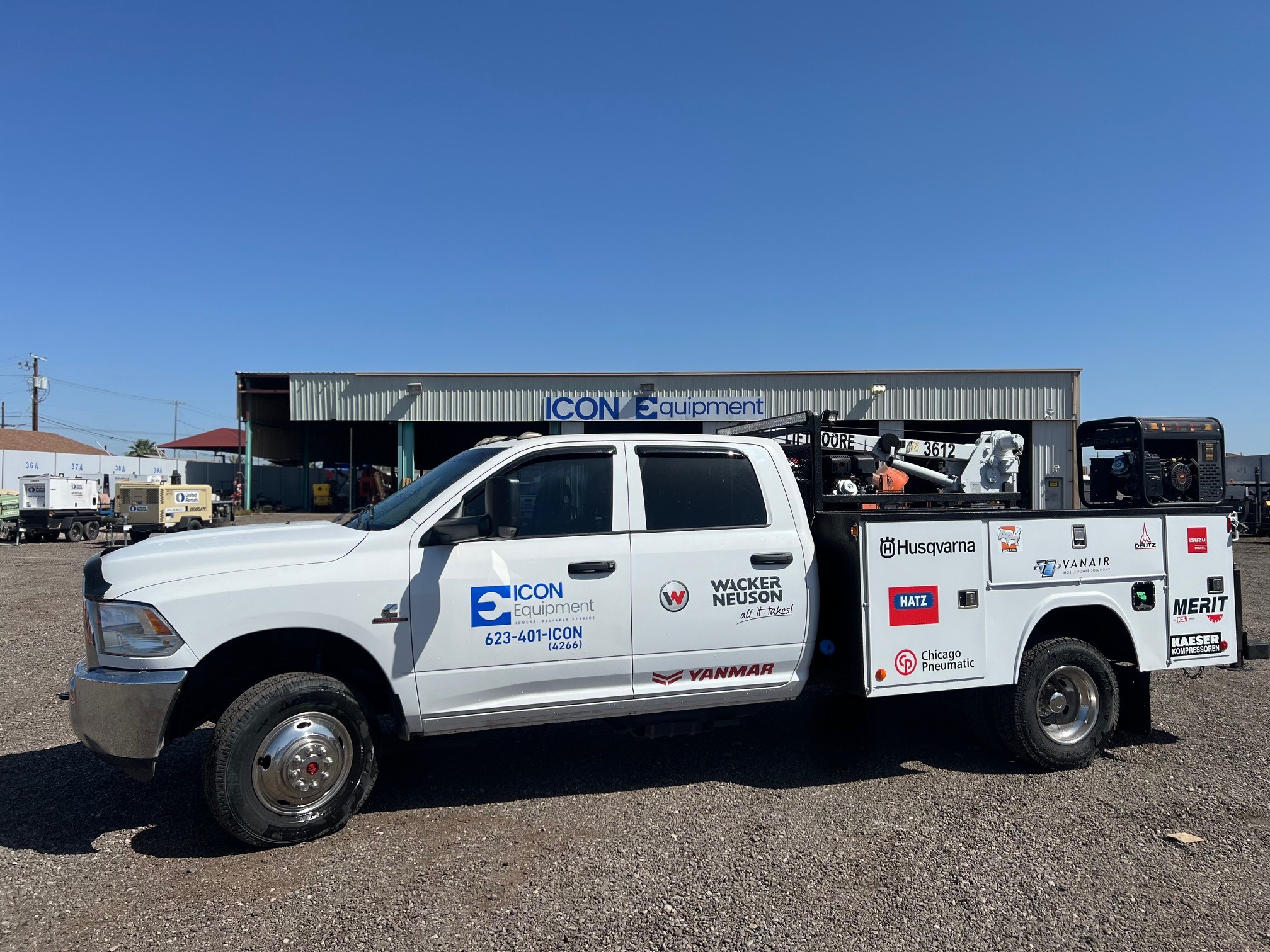
ICON Equipment mobile service truck for field support
Quick takeaways

What to keep in mind.

  • Stop operating equipment when continuing could create a safety risk or additional damage.
  • Record warning lights, noises, smoke, leaks and what happened immediately before the failure.
  • Gather make, model, serial/PIN, hours and exact jobsite location.
  • Take clear photos or short videos when safe to do so.
  • Do not bypass safety systems or manufacturer procedures during troubleshooting.

Secure the machine and work area

Follow your company's safety process and the manufacturer's shutdown guidance. Lower attachments when appropriate, isolate the work area and prevent unauthorized operation. If there is a leak, damaged component, electrical concern or unstable machine, keep people clear until the condition is assessed.

Do not keep restarting a machine repeatedly just to see whether the problem goes away. Some faults can become more expensive when the equipment continues to run.

Capture the symptoms before they disappear

Write down what the operator saw, heard and felt. Was there a warning message? Did the machine lose power gradually or stop suddenly? Did the problem occur under load, while traveling or immediately after startup? Did temperature, smoke or hydraulic response change?

If the display shows a fault code, photograph it. If the problem is intermittent, a short video can help document sound or behavior that may not be present when a technician arrives.

Gather the machine identity

Record make, model, serial or PIN, current hours and any customer asset number. If the issue involves an engine, engine model and serial information can also be useful.

If the machine has recent repair history, note what was done and whether the current problem appeared before or after that work.

Decide whether mobile or shop service makes sense

Field service can make sense when the machine cannot be moved economically, the jobsite has suitable access and the likely repair can be performed safely in the field. Shop service may be better for repairs that require specialized equipment, extensive disassembly or controlled conditions.

The service team can help make that decision once the machine, symptoms and jobsite details are known.

Keep the crew productive while the repair is evaluated

If the machine is critical to production, decide what work can be reassigned, whether another unit can cover the task and what deadline the equipment is supporting. Sharing that operational context helps the service conversation reflect the business impact, not only the mechanical symptom.
Common questions

Questions to answer before the next step.

Should I clear fault codes before calling for service?

Usually it is better to record the codes and symptoms first. Clearing information can remove clues that help diagnosis. Follow the manufacturer instructions and service guidance for the specific machine.

What makes a good mobile-service request?

Machine identity, hours, detailed symptoms, urgency, exact location, access conditions, onsite contact information and photos or video links when available.

Put the information to work

Machine down now?

Send the machine, symptoms, urgency and jobsite details so ICON can evaluate the service path.

Request Service
Keep reading

Related equipment resources.

Search ICON Equipment

Search equipment, SKU, vendor/manufacturer part numbers, parts, service and brand information across ICON Equipment.